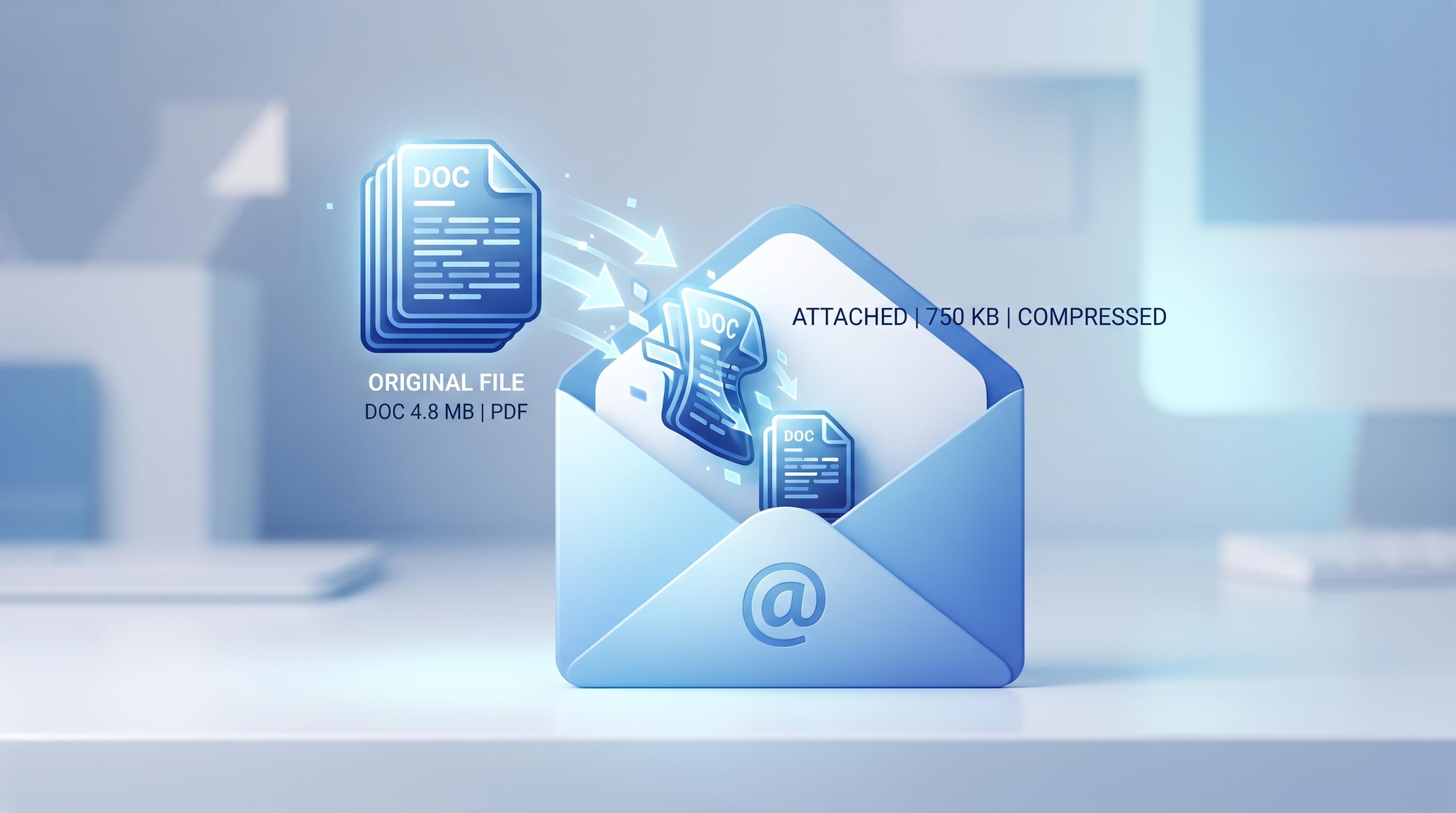
When an author sends a manuscript to a publisher by email, seeing a different file size after attaching the document can be alarming. If the original book file is 1,000 bytes but the email attachment appears to be 750 bytes, it is natural to wonder whether some of the manuscript has been removed.
The good news is that a smaller displayed file size does not necessarily mean that any part of the book has been deleted. File sizes can change because of compression, file-format processing, differences in how storage is measured, or even because the email application is displaying information differently from the computer’s file system.
An Author’s Concern About a Smaller Email Attachment
an author is preparing to send their book to a publisher as an email attachment. the file on their computer is 1000 bytes. when they attach the file to their email, it shows as 750 bytes. the author gets very upset because they are concerned that part of their book has been deleted by the email provider. if you could talk to this author, how would you explain what is happening to their book?
The first thing I would tell the author is: don’t panic. A change in the number of bytes shown on the screen does not by itself prove that any words, pages, or other content have been deleted from the book.
A file can sometimes occupy fewer bytes after being processed without losing the information contained inside it. This is known as compression.
However, there is an important technical point: ordinary email attachment handling does not generally mean that an email provider simply removes 25% of the manuscript. In fact, many email systems encode attachments for transmission, which can actually make the transmitted representation larger. Therefore, if an attachment is genuinely showing a smaller file size, the author should determine what file is being measured and whether the application has compressed or converted it rather than assuming that the email provider deleted content.
Does a Smaller File Size Mean Part of the Book Was Deleted?
No. A smaller file size does not automatically mean that part of a book has been deleted.
The number of bytes tells you how much digital storage a particular representation of a file uses. It does not directly tell you how many words, pages, characters, images, or chapters the file contains.
For example, a document containing repeated words, formatting information, or other patterns may be represented more efficiently using compression. Two files can contain the same underlying information while requiring different amounts of storage.
Think of it like packing a suitcase. You can rearrange or compress the same clothing so that it occupies less space. The suitcase is smaller, but you have not necessarily thrown anything away.
Lossless compression vs. lossy compression
There are two important types of compression:
Lossless compression reduces file size while preserving the original information. When the file is decompressed, the original data can be recovered exactly.
Lossy compression reduces file size by permanently removing some information that the compression system considers less important. This is commonly associated with certain images, audio files, and videos.
For a manuscript, a smaller file should not be assumed to have lost text simply because its byte count changed.
Why Can an Email Attachment Show a Different Size?
There are several possible explanations.
1. The file may have been compressed
Some applications and workflows can compress files before sending them. A compressed version may require fewer bytes than the original uncompressed version.
For example, a large collection of text files can often be compressed substantially because text contains repetitive patterns.
If the compression is lossless, the original information can be restored when the file is opened or extracted.
2. The email application may be displaying a different representation
The size displayed by an email interface may not always represent exactly the same thing as the size displayed by the computer’s file system.
A computer can show a file’s actual size, while another application may display a processed, compressed, converted, or otherwise packaged version.
This is why comparing two numbers without knowing what each number represents can be misleading.
3. The author may not be attaching the exact file they checked
This is one of the simplest possibilities.
An author may have:
- An original manuscript
- An edited manuscript
- A revised manuscript
- A PDF version
- A Word version
- A compressed copy
- A cloud-synchronized copy
- A temporary or older version
If the attachment is smaller, first confirm that the attached document is actually the same file that was measured on the computer.
4. The document may have been saved differently
Modern document formats can contain extensive internal structures, including formatting information, metadata, embedded objects, thumbnails, editing history, and other resources.
Saving or exporting a document can change how that information is stored.
Consequently, two versions of what appears to be the same book can have different file sizes.
5. Different units or measurements may be involved
File sizes can also be displayed using different units or conventions.
For example, a system may report a size using bytes, kilobytes, megabytes, or another representation. Some interfaces use decimal units while others use binary units.
This usually becomes more noticeable with larger files, but it illustrates why the displayed number should always be interpreted in context.
Does Email Normally Delete Part of a Manuscript?
No. Email providers do not normally take a manuscript and randomly delete sections of its text simply because it is attached to an email.
Email systems have to package attachments for transmission. Depending on the email system and the file type, an attachment may be encoded, packaged, scanned, compressed, or otherwise processed.
These processes are different from editing the actual content of the manuscript.
If a publisher receives a valid Word document or PDF and can open it normally, the recipient can inspect the document itself rather than relying solely on the byte count shown in the sender’s email interface.
An Important Point About Email Encoding
There is a common misconception that email attachments are always compressed when sent.
That is not necessarily true.
Traditional email systems commonly use MIME encoding, such as Base64, to represent binary attachments in a form suitable for email transmission. Base64 encoding actually increases the amount of data required for transmission rather than reducing it.
Therefore, if an author sees an attachment reported as smaller than the original file, it should not automatically be explained as “the email provider compressed it.”
The correct explanation depends on the specific email service, application, file format, and point at which the file size was measured.
How Can an Author Check Whether Their Book Is Intact?
Instead of worrying about the byte count, the author should verify the actual document.
Step 1: Open the original manuscript
Check the original file on the computer.
Confirm:
- The title
- Number of chapters
- Last page
- Word count
- Images
- Tables
- Formatting
- Any other important elements
Step 2: Check the attachment before sending
If the email application provides a way to download, preview, or inspect the attachment, compare it with the original.
The important question is not simply:
“Does the number of bytes match?”
The more useful question is:
“Does the attached document contain the same content?”
Step 3: Download the attachment after sending
For additional reassurance, the author can send the email to themselves or use another account where appropriate.
Download the attachment and open it.
Check whether:
- All chapters are present
- The final pages are present
- Images appear correctly
- Formatting is intact
- The document opens without errors
Step 4: Compare file hashes when exact verification is needed
For technically precise verification, a cryptographic hash can be calculated for two files.
A hash is essentially a digital fingerprint of a file. If two identical files produce the same hash, their contents are identical at the byte level.
If the files produce different hashes, they are not byte-for-byte identical. However, that still does not automatically mean that content was deleted; the files may simply have been saved or packaged differently.
What If the Attached File Really Is Smaller?
If the author downloads the attachment and discovers that the document genuinely differs from the original, then further investigation is appropriate.
The author should compare the two files and determine:
- Whether the files have the same format.
- Whether one file was compressed.
- Whether one was exported or converted.
- Whether the document was saved after editing.
- Whether embedded images or other resources changed.
- Whether the email application created a new copy.
- Whether the attachment was replaced with an older version.
This is much more reliable than concluding that the email provider deleted part of the book based solely on the displayed byte count.
File Size Is Not the Same as Book Length
Authors should also remember that file size and manuscript length are two different things.
A 100,000-word manuscript does not necessarily have a fixed file size.
The same book could exist as:
- A DOCX manuscript
- A PDF
- An EPUB
- A TXT file
- A ZIP archive
- Another publishing format
Each format stores information differently.
Even two DOCX files containing the same manuscript can have different file sizes because of formatting, embedded resources, metadata, document history, and other internal data.
Therefore, the number of bytes is not a measurement of how much of the story exists.
What Should Authors Send to Publishers?
Authors should always follow the publisher’s submission guidelines.
If a publisher requests a Word document, send the requested Word format. If the publisher requests a PDF, use the requested PDF format. Do not convert a manuscript simply to make the file smaller unless the publisher specifically asks for it.
Before sending a manuscript, authors should also make sure that:
- The correct version is attached.
- The manuscript has been saved.
- The requested file format is being used.
- The file opens correctly.
- The attachment is within the publisher’s size limit.
- The author’s contact information is correct.
- The email includes any requested submission materials.
If the publisher has specified a maximum attachment size, that limit is generally more important than whether the displayed byte count exactly matches the size shown on the author’s computer.
Should an Author Be Worried About a 1,000-Byte File Becoming 750 Bytes?
Not based on the size difference alone.
A 25% difference in displayed size may look dramatic, but it does not establish that 25% of the book has disappeared.
The author should first determine whether the two numbers refer to the same representation of the file.
If the attached file opens normally and contains the complete manuscript, there is no reason to conclude that pages or words were deleted merely because the email interface displays a different size.
If the author wants certainty, downloading the sent attachment and comparing it with the original is a much better test.
Frequently Asked Questions
Can email reduce the size of a book manuscript?
It can be possible for a file to be compressed or otherwise represented differently during an email workflow, but email attachment handling varies. A smaller displayed size does not by itself indicate that manuscript content was removed.
Does a smaller attachment mean my book has lost pages?
No. File size is not the same as page count. A document can occupy fewer bytes without losing pages or text, particularly when lossless compression or a different file representation is involved.
Does Gmail or another email provider delete parts of an attached book?
Email providers do not normally delete portions of a manuscript simply because it is attached. If a received document appears incomplete, the author should investigate the actual attachment, file version, format, and sending process.
Why does my Word document have a different size after I save it?
Saving a document can change its internal structure. Formatting, metadata, embedded objects, and other document components can be stored differently after editing or saving.
How can I make sure my publisher receives the complete manuscript?
Attach the correct final file, follow the publisher’s requested format, and verify the attachment by downloading and opening it after sending when possible. For byte-level verification, compare cryptographic hashes of the original and received files.
Should I worry if the attachment size does not exactly match the original?
Not necessarily. The important issue is whether the attached file contains the correct manuscript and can be opened successfully. A different byte count alone is not evidence that content was deleted.
The Bottom Line for Authors
Seeing a smaller number next to an email attachment can be unsettling, especially when the attachment is an entire book manuscript. But file size is not a direct measurement of the amount of content in a document.
A file can be compressed, converted, saved differently, or represented differently by an application. Email systems can also process attachments in ways that affect how their size is displayed.
So, if an author’s 1,000-byte manuscript appears as 750 bytes after being attached to an email, the right response is not to assume that 250 bytes of the book have been deleted.
Check the actual attachment. Open it, verify the chapters and content, and compare the files if necessary. If the manuscript is complete, the difference in displayed file size is not evidence that the book has been damaged.
For authors submitting manuscripts to publishers, the safest practice is simple: use the publisher’s requested file format, attach the correct final version, and verify the received attachment rather than relying on the displayed byte count alone.
Related Reading