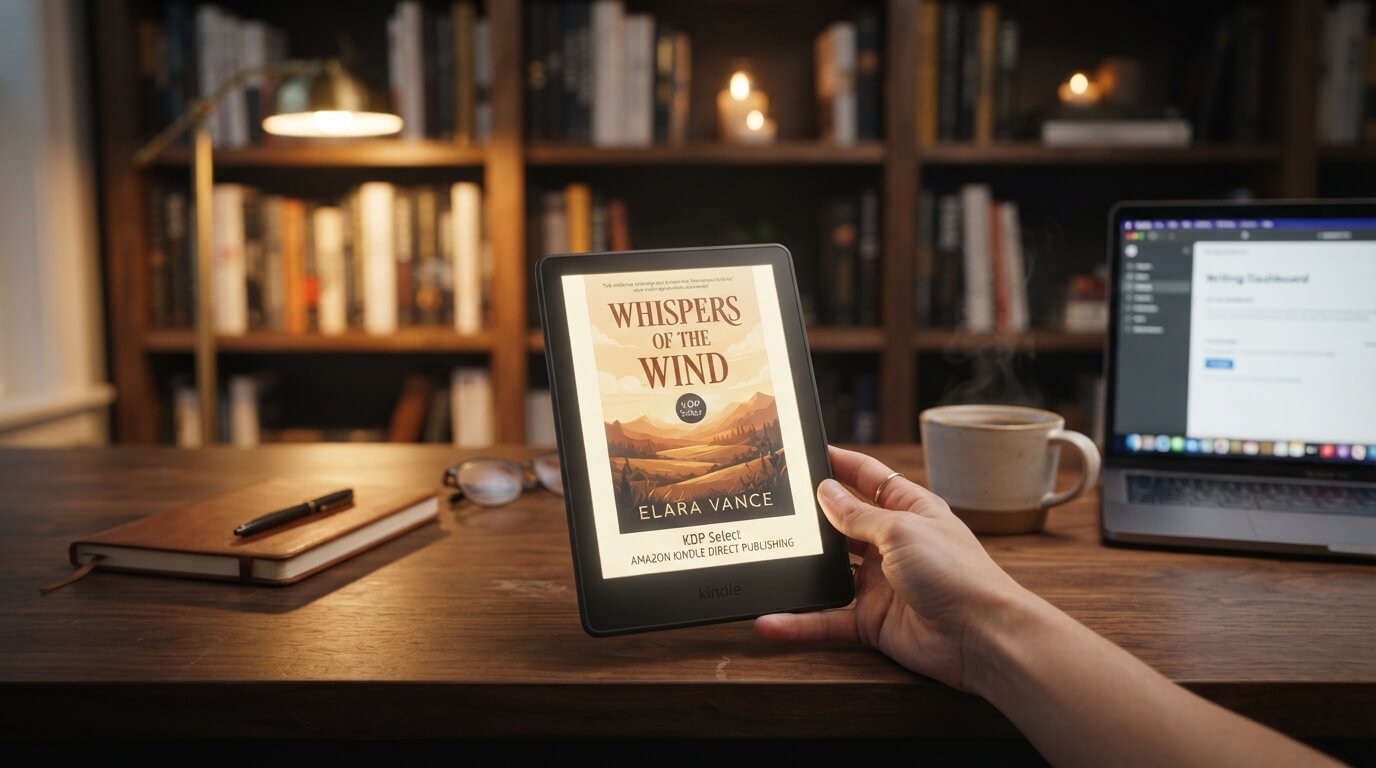
If you are an author who wants to publish a book independently, Amazon Kindle Direct Publishing (KDP) provides a way to make an ebook available to readers through Amazon’s Kindle Store. Instead of submitting a manuscript to a traditional publishing house and waiting for a publishing contract, authors can use KDP to prepare, upload, publish, and manage their own books.
For many self-published authors, Kindle Direct Publishing is one part of a broader publishing strategy. It can provide access to a large online readership while allowing authors to retain control over their manuscript, book details, pricing, and publishing decisions.
However, self-publishing a book involves more than uploading a Word document and clicking “publish.” Authors need to prepare their manuscript, create or obtain a professional cover, choose the appropriate book details, format the ebook correctly, determine pricing and distribution options, and review the final Kindle version before publication.
This guide explains how Amazon KDP works, what authors need before publishing, how to upload a Kindle ebook, what happens after publication, and the common mistakes authors should avoid.
What Is Amazon Kindle Direct Publishing?
Amazon Kindle Direct Publishing is Amazon’s self-publishing platform for authors and publishers who want to publish books in digital and print formats.
KDP allows authors to manage much of the publishing process themselves. Depending on the format selected, an author can publish an ebook for Kindle readers and can also use KDP for print-on-demand editions such as paperback and hardcover books.
The platform is particularly useful for independent authors because it removes the need for a traditional publishing contract for books an author chooses to self-publish.
Instead of sending a manuscript to a publishing company and waiting for acquisition and production decisions, the author manages the publishing workflow.
That can include:
- Preparing the manuscript
- Formatting the book
- Creating the cover
- Entering book information
- Selecting categories
- Choosing keywords
- Setting a price
- Selecting territories and distribution options
- Reviewing the digital proof
- Publishing the book
- Managing the book after publication
How Does Kindle Direct Publishing Work?
The basic KDP publishing process can be understood as a series of stages.
Prepare → Format → Create the cover → Set up the book → Upload → Preview → Set pricing and distribution → Publish → Manage and promote
The exact interface and available options can change over time, but the overall workflow remains straightforward.
The author first prepares the book and associated publishing materials. The files are then uploaded to KDP, where the author enters information about the book and selects publishing settings.
Before publication, the author can preview the Kindle edition to identify formatting problems.
Once the author submits the book for publication, Amazon reviews it according to its publishing requirements. If approved, the book becomes available to readers through Amazon’s marketplace.
What Do You Need to Self-Publish a Book on Kindle?
Before starting the KDP publishing process, authors should have the essential materials ready.
At minimum, an author will generally need:
A completed manuscript
The manuscript should be edited and proofread before publication.
KDP is a publishing platform, not a substitute for professional editorial review. Publishing a book with spelling errors, inconsistent formatting, missing text, or unresolved structural problems can negatively affect the reader experience.
An ebook-ready manuscript file
The manuscript needs to be prepared in a format supported by KDP.
Authors commonly work with formats such as Microsoft Word documents and other supported ebook formats.
The important point is that the manuscript should be prepared specifically for ebook presentation rather than simply assuming that a print-layout file will automatically work perfectly on Kindle.
A professional book cover
The cover is one of the first things a potential reader sees.
A Kindle ebook needs a cover that is appropriate for digital display and meets Amazon’s technical requirements.
Authors should make sure the title, author name, typography, imagery, and overall design are readable at both large and small sizes.
Book information
Authors need information such as:
- Book title
- Subtitle, if applicable
- Author name
- Book description
- Publishing details
- Categories
- Keywords
- Language
- Rights information
Accurate metadata helps readers understand what the book is about and can help Amazon categorize the title appropriately.
How to Format a Book for Kindle
Formatting a Kindle ebook is different from formatting a printed book.
A printed book has fixed pages. An ebook is generally designed to adapt to different screen sizes and reader settings.
A reader may change:
- Font size
- Font style
- Line spacing
- Orientation
- Device
- Screen size
This means an ebook should not rely heavily on fixed page layouts.
Use appropriate paragraph formatting
Avoid creating the appearance of professional formatting by inserting excessive spaces or tabs.
Instead, use proper paragraph styles and consistent formatting.
Keep headings consistent
Chapter titles and section headings should follow a consistent hierarchy.
This can also help create navigation and improve the reading experience.
Check page breaks
Each chapter should begin in the intended location.
Unexpected blank pages, excessive spacing, or missing chapter breaks can make an ebook look unprofessional.
Test images
If the book contains images, illustrations, charts, or other visual elements, verify that they display correctly on different screen sizes.
This is particularly important for children’s books, cookbooks, photography books, illustrated nonfiction, and other highly visual publications.
Why Is Kindle Formatting Different From Print Formatting?
A printed book has a fixed physical layout.
For example, a print book might have exactly 300 pages with text positioned at specific locations on each page.
A Kindle ebook can reflow.
If a reader increases the font size, the amount of text displayed on each screen changes.
Therefore, authors should avoid treating an ebook like a PDF whenever possible.
A well-prepared Kindle book is designed to remain readable and functional when the reader changes the display settings.
Creating a Kindle Book Cover
Your cover is an important part of your book’s presentation.
A strong cover should communicate the book’s genre and make the title and author name easy to recognize.
For example, readers expect different visual conventions from:
- Romance
- Mystery
- Thriller
- Science fiction
- Fantasy
- Business
- Self-help
- Children’s books
- Biography
- Memoir
The cover should therefore match the expectations of the intended audience.
Authors should also avoid overcrowding the design with too much text.
The title should remain readable when the cover appears as a small thumbnail in search results or a recommendation.
Entering Your Book Details in KDP
After preparing the manuscript and cover, authors need to provide the book’s metadata.
Metadata is information used to identify and describe the book.
Important details can include:
Book title
Enter the title accurately and consistently with the title shown on the cover.
Subtitle
If your book has a subtitle, it should accurately describe the book and follow the platform’s metadata requirements.
Author name
Use the author name under which you want the book to appear.
Book description
The description functions similarly to sales copy on a book’s product page.
It should tell potential readers what the book offers without giving away unnecessary information.
For fiction, it can introduce the premise, conflict, setting, or central characters.
For nonfiction, it can explain the subject, reader benefits, and key topics covered.
Keywords
KDP allows authors to provide relevant search terms.
Authors should select keywords that accurately represent what readers might search for when looking for the book.
Avoid irrelevant keyword stuffing.
Categories
Categories help place the book within relevant subject or genre areas.
Authors should select categories that accurately reflect the content rather than choosing unrelated categories simply because they appear popular.
How to Upload Your Book to Kindle Direct Publishing
The general publishing process involves creating or selecting the appropriate Kindle ebook setup within KDP and entering the requested information.
You will generally move through several areas of the publishing workflow.
1. Sign in to KDP
Access your KDP account and make sure your account information is complete.
2. Start a new Kindle ebook
Select the option to create a new Kindle ebook.
3. Enter the book details
Provide the title, author information, description, keywords, categories, and other requested metadata.
4. Upload the manuscript
Upload the prepared ebook manuscript file.
KDP processes the file and converts it into the Kindle format used for reading.
5. Upload the cover
Upload your prepared cover file or use the available cover-creation options if appropriate.
6. Launch the previewer
Review the book carefully.
Do not skip this step.
7. Set pricing and distribution
Select the appropriate publishing rights, territories, pricing, and available distribution options.
8. Publish the book
After reviewing everything, submit the book for publication.
Amazon then processes and reviews the submission.
Why Should You Always Preview a Kindle Book?
The preview stage is one of the most important parts of self-publishing.
A manuscript can look perfect in Microsoft Word and still display incorrectly after conversion.
Potential problems include:
- Missing images
- Incorrect chapter breaks
- Strange spacing
- Inconsistent headings
- Broken tables
- Unwanted blank spaces
- Incorrect links
- Formatting problems
- Missing characters
- Poor image placement
The preview allows authors to identify these problems before readers encounter them.
Authors should review the entire book rather than checking only the first few pages.
What Happens After You Publish?
Publishing a Kindle book is not necessarily the end of the process.
Once the book is available, authors may continue to manage it through their KDP account.
They may need to:
- Correct typographical errors
- Update the manuscript
- Replace the cover
- Improve the description
- Adjust pricing
- Update metadata
- Monitor sales
- Review royalties
- Promote the book
One advantage of self-publishing is that the author can remain involved in the book’s lifecycle.
How Much Does It Cost to Publish Through KDP?
The cost of using a self-publishing platform and the cost of producing a professional book are different questions.
The platform itself may allow authors to publish without paying a traditional publishing fee for uploading an ebook, but authors can still incur costs during the publishing process.
Potential expenses include:
- Editing
- Proofreading
- Cover design
- Interior formatting
- Illustration
- Book marketing
- Advertising
- Professional publishing assistance
An author can technically perform many tasks independently, but professional services may improve the final product.
The actual cost of self-publishing therefore depends heavily on how much of the process the author handles personally.
How Do Kindle Royalties Work?
KDP offers royalty options for eligible ebooks, subject to Amazon’s applicable terms and requirements.
The royalty an author receives depends on factors such as the selected royalty option, book price, territory, and other applicable conditions.
Authors should review the current KDP pricing and royalty information before setting a book price because program requirements can change.
It is also important to understand that the list price is not necessarily the same as the amount the author receives.
Can You Publish a Paperback Through KDP?
Yes. KDP is not limited to Kindle ebooks.
Authors can also use KDP to publish eligible print books, including paperback and hardcover formats.
Print-on-demand means books can be produced when readers order them rather than requiring the author to purchase a large inventory in advance.
However, print publishing introduces additional requirements.
For example, authors need to consider:
- Trim size
- Interior margins
- Bleed
- Print-ready formatting
- Spine dimensions
- Print cover design
- Paper and ink options
- Print costs
The workflow for a paperback is therefore different from preparing a Kindle ebook.
Kindle Ebook vs. Paperback
The two formats serve different purposes.
| Feature | Kindle Ebook | Paperback |
|---|---|---|
| Physical book | No | Yes |
| Reflowable text | Generally yes | No |
| Fixed pages | No | Yes |
| Physical printing | No | Yes |
| Cover requirements | Digital cover | Full print cover |
| Interior layout | Ebook-focused | Print-focused |
| Reader device | Kindle or compatible app/device | Physical book |
Some authors publish both versions so readers can choose their preferred format.
Can You Self-Publish Without a Traditional Publisher?
Yes.
Self-publishing allows an author to publish without entering into a traditional publishing agreement.
The author generally takes responsibility for the publishing process, including editorial quality, design, metadata, pricing, distribution decisions, and marketing.
This is one of the fundamental differences between self-publishing and traditional publishing.
In traditional publishing, the publisher generally manages much of the production and distribution process.
In self-publishing, the author has substantially more direct control.
Advantages of Self-Publishing on Kindle
There are several reasons authors choose KDP.
Greater control
Authors can make decisions about their books rather than handing every publishing decision to a traditional publisher.
Direct publishing workflow
Authors can upload and manage their own books.
Global availability
Amazon’s marketplace can make a book available to readers in multiple markets, subject to applicable distribution and rights conditions.
Digital-first publishing
Authors can publish ebooks without printing physical inventory.
Multiple formats
Authors can potentially offer Kindle ebooks alongside paperback and hardcover editions.
Ability to update
Authors can make corrections and updates when necessary, subject to platform requirements.
Disadvantages of Self-Publishing
Self-publishing also comes with responsibilities.
The author is responsible for quality
There is no traditional editorial department automatically reviewing the manuscript.
Marketing is largely the author’s responsibility
Publishing a book does not guarantee that readers will discover it.
Professional services can cost money
Editing, cover design, formatting, and marketing can require investment.
Metadata requires attention
Poor titles, descriptions, categories, or keywords can make it harder for the right readers to find the book.
The author manages the publishing process
The author must make decisions about production, pricing, distribution, and updates.
Common KDP Self-Publishing Mistakes
Authors can avoid many problems by checking their book carefully before publishing.
Publishing an unedited manuscript
A finished draft is not necessarily a finished book.
Professional editing and proofreading can identify problems that authors may overlook.
Using a low-quality cover
A cover that looks amateurish can discourage readers from clicking on the book.
Ignoring the preview
Always inspect the actual Kindle presentation.
Using irrelevant keywords
Keywords should describe the book and reflect genuine reader search intent.
Choosing inappropriate categories
Do not choose unrelated categories simply to make a book appear in a more competitive or popular section.
Forgetting the book description
A weak description can make it difficult for readers to understand why they should read the book.
Treating Kindle formatting like print formatting
Ebooks and print books require different formatting approaches.
How Can Authors Improve Their Kindle Book Before Publishing?
A professional self-publishing workflow can look like this:
Write → Revise → Developmental edit → Copyedit → Proofread → Format → Design cover → Prepare metadata → Upload → Preview → Correct → Publish → Promote
Each stage serves a different purpose.
Writing creates the manuscript.
Revision improves the author’s draft.
Developmental editing addresses larger issues such as structure, pacing, organization, or argument.
Copyediting addresses language, consistency, grammar, and style.
Proofreading provides a final check.
Formatting prepares the book for its intended format.
Cover design creates the book’s visual identity.
Metadata helps describe and categorize the book.
Previewing confirms that the final digital product works as intended.
Publishing makes it available to readers.
Marketing helps readers discover it.
Is KDP Right for Every Author?
KDP can be a strong option for authors who want control over their publishing decisions and are comfortable managing or outsourcing the necessary production and marketing tasks.
However, it is not the only publishing route.
Authors may also consider:
- Traditional publishing
- Independent publishing companies
- Hybrid publishing
- Other ebook distributors
- Print-on-demand services
- Direct-to-reader publishing
The best approach depends on the author’s goals, budget, genre, desired level of control, and willingness to manage the publishing process.
Frequently Asked Questions About Amazon Kindle Direct Publishing
What is Amazon Kindle Direct Publishing?
Amazon Kindle Direct Publishing, commonly called KDP, is Amazon’s self-publishing platform that allows authors and publishers to publish eligible ebooks and print books.
Can I self-publish my book on the Kindle Store?
Yes. Authors can use KDP to prepare and publish eligible ebooks for Kindle readers, provided the book meets Amazon’s applicable requirements.
Do I need a publisher to use KDP?
No. KDP is designed to allow authors and publishers to publish independently without requiring a traditional publishing contract.
Can I publish my book for free on Kindle?
KDP generally does not require a traditional upfront publishing fee to upload an ebook, but authors may incur other costs for editing, cover design, formatting, and marketing. Pricing and promotional options are subject to Amazon’s current rules.
Do I need an ISBN for a Kindle ebook?
ISBN requirements differ by format and publishing platform. Authors should check the current KDP requirements for the specific format they intend to publish.
Can I publish both an ebook and paperback?
Yes. Authors can use KDP for eligible Kindle ebooks and print editions such as paperback and hardcover.
How long does it take to publish a Kindle book?
The time can vary depending on preparation, review, and whether the submission requires changes. Authors should allow time to thoroughly proofread and preview the book before submitting it.
Can I update my Kindle book after publishing?
Authors can generally submit updated files and make eligible changes after publication. Updates are subject to Amazon’s applicable review and publishing procedures.
Is self-publishing on Amazon the same as traditional publishing?
No. With traditional publishing, a publishing company typically acquires and produces the book. With self-publishing, the author takes substantially more responsibility for production, metadata, distribution, and marketing.
Can I make money from a Kindle book?
Yes, authors can earn royalties from eligible book sales, subject to KDP’s current royalty structures, pricing rules, delivery fees where applicable, and other terms.
However, publishing a book does not guarantee sales.
Final Thoughts
Amazon Kindle Direct Publishing gives authors a practical way to self-publish books for Kindle readers while maintaining significant control over the publishing process.
The process is more than simply uploading a manuscript. A successful Kindle publication requires careful editing, professional formatting, an effective cover, accurate metadata, appropriate pricing, and thorough quality control.
For authors who want to self-publish, the basic workflow is straightforward:
Prepare your manuscript → format the ebook → create the cover → enter your book information → upload the files → preview the Kindle edition → select publishing and pricing options → submit the book → manage and promote it after publication.
The most important step is to treat self-publishing as a professional publishing process rather than simply a file-uploading exercise. A well-edited manuscript, carefully designed cover, clean Kindle formatting, accurate metadata, and strong book description can create a much better experience for readers.
Before publishing, authors should also review Amazon’s current KDP requirements, royalty terms, content policies, formatting specifications, and distribution options because these details can change over time.
For authors who are prepared to take responsibility for their book’s production and presentation, Amazon Kindle Direct Publishing can be an effective route to self-publishing a book and making it available to Kindle readers.
Related Reading
- Is Publishing a Book on Amazon Worth It? Pros, Cons and Costs
- Amazon KDP Login: How to Access Your Kindle Direct Publishing Account